QUASARTM
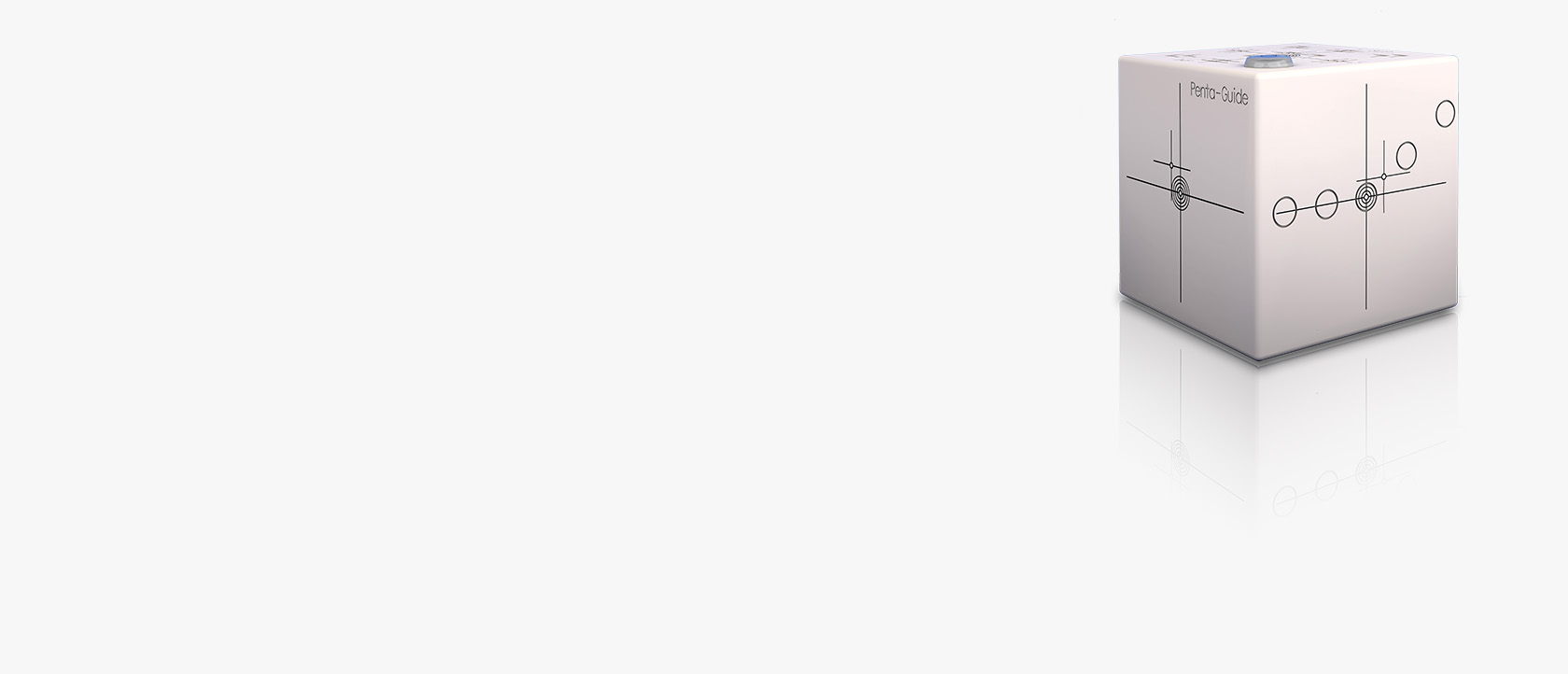
Penta-Guide

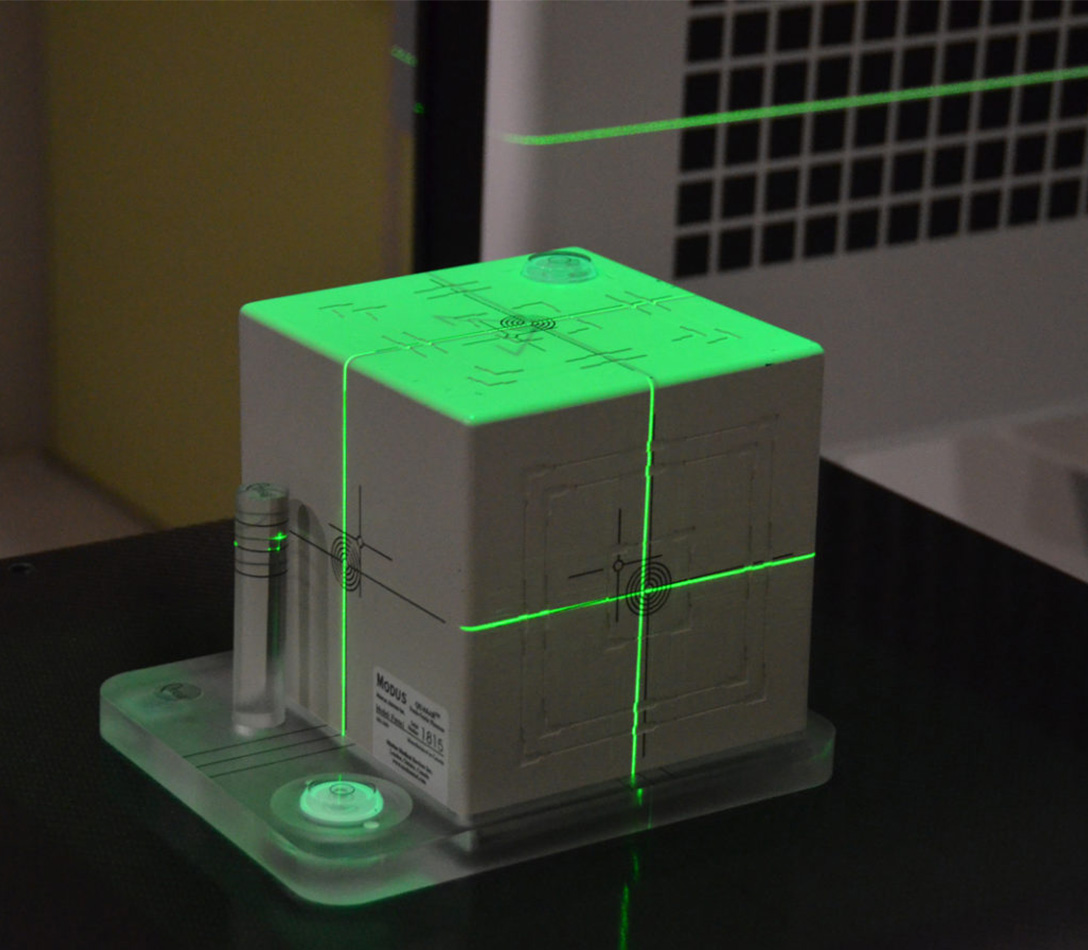
Globally recognised as the preferred tool for commissioning and testing IGRT systems, for high precision OBI and CBCT imaging. It verifies spatial alignment, isocenter coincidence, and 6DoF couch adjustments. The included software provides detailed image quality metrics.

Compatible with Machine/Modality/Application:

C-arm linacs,

CBCT,

CT Simulation,

Bore-type linacs,

IGRT,

Small Field Dosimetry,

SRS / SBRT,

Hypersight,

Machine Targeting,

Motion Management,

TG142

Used for Workflow

Motion Management MQA,

Monthly QA RT,

Commissioning and Annual QA RT

Get in touch

Features

Intuitive Design

Intuitive Design

QUASAR Penta-Guide’s simple design promotes efficient daily testing to ensure on-board imaging alignment accuracy. The phantom contains a unique system of low-density rings and hollow spheres, enabling intuitive quality assurance while eliminating high-density imaging artifacts.

Workflow Efficiency

Workflow Efficiency

Integrate the QUASAR Penta-Guide IGRT phantom into your daily QA routine to perform geometric accuracy tests. Confirm room laser and IGRT targeting accuracy while simultaneously acquiring valuable CBCT image quality data to monitor On Board Imaging performance.

Precision

Precision

Manufactured to provide 0.25 mm accuracy – guaranteeing a high-calibre tool for your daily QA processes. Perform multiple isocenter coincidence and alignment tests with reliable repeatability and confidence. Visual tolerance features provide accurate determination of pass/fail criteria.

Image Quality Trending

Image Quality Trending

Obtain vital image quality metrics on your CBCT imaging platform to monitor and trend system performance. Automated analysis provides detailed data to troubleshoot imaging problems or suggest preventative maintenance, minimizing system downtime.

Intuitive Design

QUASAR Penta-Guide’s simple design promotes efficient daily testing to ensure on-board imaging alignment accuracy. The phantom contains a unique system of low-density rings and hollow spheres, enabling intuitive quality assurance while eliminating high-density imaging artifacts.

Workflow Efficiency

Integrate the QUASAR Penta-Guide IGRT phantom into your daily QA routine to perform geometric accuracy tests. Confirm room laser and IGRT targeting accuracy while simultaneously acquiring valuable CBCT image quality data to monitor On Board Imaging performance.

Precision

Manufactured to provide 0.25 mm accuracy – guaranteeing a high-calibre tool for your daily QA processes. Perform multiple isocenter coincidence and alignment tests with reliable repeatability and confidence. Visual tolerance features provide accurate determination of pass/fail criteria.

Image Quality Trending

Obtain vital image quality metrics on your CBCT imaging platform to monitor and trend system performance. Automated analysis provides detailed data to troubleshoot imaging problems or suggest preventative maintenance, minimizing system downtime.

Software

Included with every Penta-Guide Phantom is a software package designed to improve the Radiation Therapist (RT) and Physics QA analysis workflow. An emphasis on user-focused software features such as an RT QA checklist, automated image analysis, and performance trending, creates a time-saving and valuable quality assurance system. 

Compatible with QUASAR DICOM Server. 

Alignment Consistency

Alignment Consistency

Early detection of system alignment problems can be achieved by monitoring the isocenter and on-board imaging performance. Use automated software analysis of imported images or manual daily shift entries to track system trends.

Image Quality Analysis

Image Quality Analysis

Use Penta-Guide’s automated analysis software to evaluate image quality metrics and monitor the performance of your LINAC OBI systems. Stats including spatial resolution, Houndsfield unit constancy and noise/contrast ratio can be used to trend CBCT performance.

Daily QA Checklist

Daily QA Checklist

Store and track daily QA results with simple pass/fail criteria using the integrated checklists. Designed to improve morning QA workflow for Radiation Therapists, these tools offer the ability to manage all daily QA data in one place.

Visualization Tools

Visualization Tools

Advanced 2D/3D visualization portal for the analysis of imported data provides a clear visual representation of system performance. Includes the ability to create line profiles and histograms of user-specified ROIs.

Reporting Feature

Reporting Feature

Penta-Guide software improves clinical workflow by creating custom reports of daily QA procedures. This provides a simple solution for users to communicate daily testing results to the Physics QA team.

Alignment Consistency

Early detection of system alignment problems can be achieved by monitoring the isocenter and on-board imaging performance. Use automated software analysis of imported images or manual daily shift entries to track system trends.

Image Quality Analysis

Use Penta-Guide’s automated analysis software to evaluate image quality metrics and monitor the performance of your LINAC OBI systems. Stats including spatial resolution, Houndsfield unit constancy and noise/contrast ratio can be used to trend CBCT performance.

Daily QA Checklist

Store and track daily QA results with simple pass/fail criteria using the integrated checklists. Designed to improve morning QA workflow for Radiation Therapists, these tools offer the ability to manage all daily QA data in one place.

Visualization Tools

Advanced 2D/3D visualization portal for the analysis of imported data provides a clear visual representation of system performance. Includes the ability to create line profiles and histograms of user-specified ROIs.

Reporting Feature

Penta-Guide software improves clinical workflow by creating custom reports of daily QA procedures. This provides a simple solution for users to communicate daily testing results to the Physics QA team.

Accessories and Technical Specifications

Specifications

  • Cube, 16 cm, acrylic, 5 kg
  • 4 x 4, 10 x 10, and 12 x 12 cm2 light field alignment
  • Laser alignment lines
  • Built-in bubble level
  • Free software available for download
  • Internal imaging and registration markers designed to minimize CT artifacts
  • User’s Guide and cardboard container for storage and handling are included

Minimum Software Technical Requirements

  • Standard PC desktop or laptop with Windows 10 or greater
  • 4 GB RAM
  • .NET framework 4.6.1 for client and server
  • Acrobat Reader to view PDF files

Optional Accessories

  • 500-3501: Hood for Varian Frameless Array or other visual position indicators
  • 500-3503: Penta-Guide Tilt Plate

Find more resources here

Brochures

Modus QA - Product Data Sheet - Penta-Guide Tilt Plate
Brochures (447 KB)
Download now
Modus QA - Product Data Sheet - Penta-Guide
Brochures (1 MB)
Download now
Modus QA - Product Brochure - Penta-Guide
Brochures (3 MB)
Download now
Penta Guide - QUASAR by Modus QA
Brochures (1 MB)
Download now

Contact us for more information